> For the complete documentation index, see [llms.txt](https://docs.openreview.net/llms.txt). Markdown versions of documentation pages are available by appending `.md` to page URLs; this page is available as [Markdown](https://docs.openreview.net/v1/getting-started/creating-an-openreview-profile/selecting-your-pronouns.md).
# Selecting your pronouns
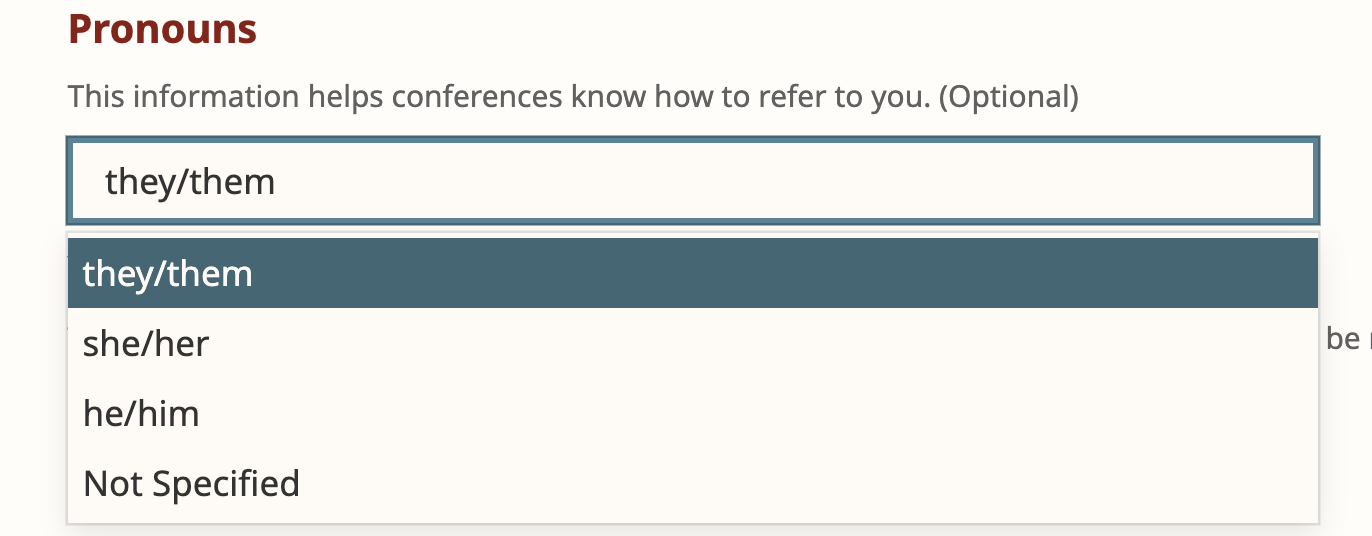
The Profile Edit page will allow users to select pronouns for their profile. This dropdown field is optional and it contains four pre-defined options to choose from: they/them, he/him, she/her, and not specified.
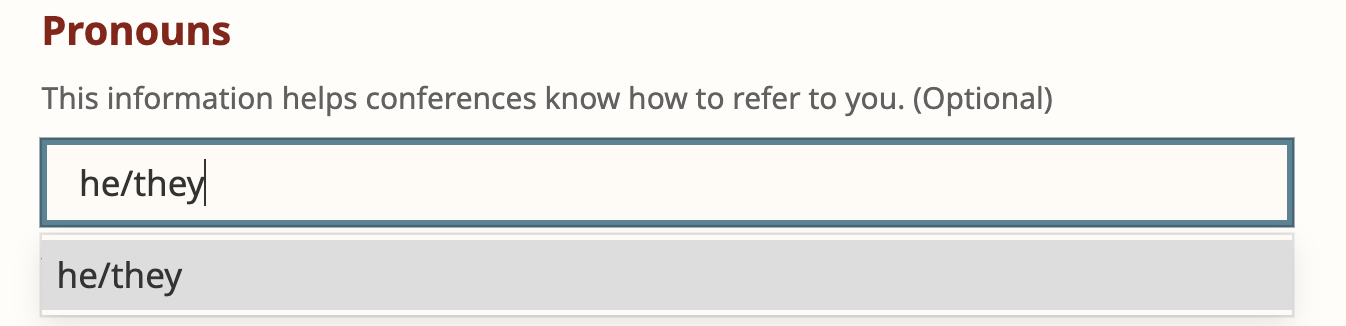
To customize your pronouns, type them into the textbox and click on your custom value in the dropdown to select it.
Note: To protect user privacy, pronoun data cannot be retrieved in the API response.
---
# Agent Instructions
This documentation is published with GitBook. GitBook is the documentation platform designed so that both humans and AI agents can read, navigate, and reason over technical content effectively. Learn more at gitbook.com.
## Querying This Documentation
If you need additional information that is not directly available in this page, you can query the documentation dynamically by asking a question.
Perform an HTTP GET request on the following URL with the `ask` and `goal` query parameters:
```
GET https://docs.openreview.net/v1/getting-started/creating-an-openreview-profile/selecting-your-pronouns.md?ask=&goal=
```
`ask` is the immediate question: it should be specific, self-contained, and written in natural language.
`goal` is what the user is ultimately trying to achieve, the reason they need the answer. Sharing it helps GitBook give you a better, more relevant answer. A goal is most helpful when it describes the outcome the user wants rather than restating the question. For example, with `ask=how do I create an API token`, a goal like `build a script that syncs our docs to a CMS` lets GitBook tailor the answer to that use case.
The response will contain a direct answer to the question and relevant excerpts and sources from the documentation.
Use this mechanism when the answer is not explicitly present in the current page, you need clarification or additional context, or you want to retrieve related documentation sections.